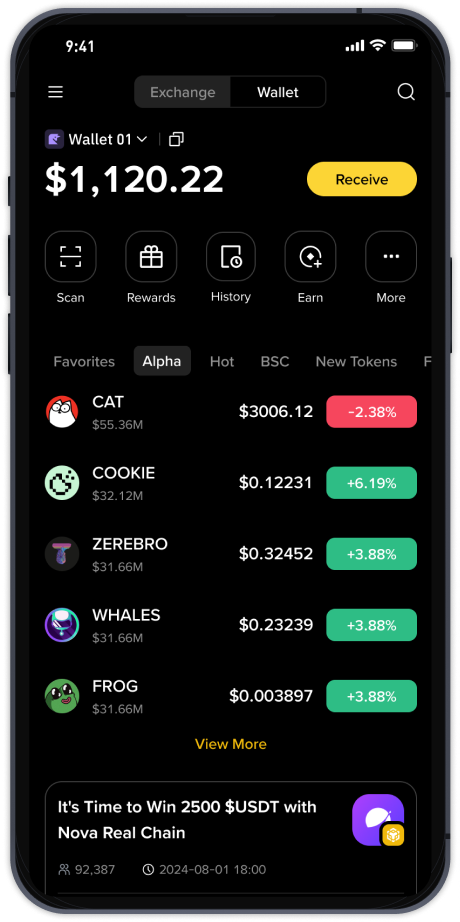
How to Trade on Binance Exchange: A Step-by-Step Guide for Beginners (Trending Tips 2025)

As cryptocurrency trading continues to dominate financial headlines, "Binance exchange how to operate" has become one of the hottest search terms on trending lists. Whether you are a complete novice or an experienced trader looking to switch platforms, Binance offers a powerful yet accessible ecosystem. This guide breaks down the essential steps to operate Binance, ensuring you can navigate the exchange safely and efficiently.
First, you need to create a Binance account. Visit the official Binance website or download the mobile app from the App Store or Google Play. Click "Register" and enter your email address or phone number. Set a strong, unique password and agree to the terms of service. Binance will send a verification code to your email or phone—enter it to confirm your account. For full access to higher withdrawal limits and advanced features, complete the identity verification (KYC) process by uploading a government-issued ID and a selfie. This step is mandatory for most users and helps secure your assets.
After registration, the next step is depositing funds. Log into your Binance account and navigate to "Wallet" > "Fiat and Spot." Click "Deposit" and select the cryptocurrency you wish to deposit (e.g., Bitcoin, Ethereum) or choose fiat currency like USD or EUR. Binance supports various deposit methods, including bank transfers, credit/debit cards, and third-party payment services. If you are depositing crypto, copy your unique deposit address from Binance and paste it into the withdrawal field of your external wallet or another exchange. Always double-check the network type (e.g., ERC20, BEP20) to avoid losing funds.
Now you are ready to trade. The Binance interface can be overwhelming at first, but the core operation is straightforward. Go to "Trade" and select "Classic" or "Advanced" mode. The Classic mode is ideal for beginners. On the left side, you will see the trading pair you choose (e.g., BTC/USDT). Below the chart, you can place a market order (buy/sell instantly at current price) or a limit order (set a specific price and wait for it to fill). Enter the amount of cryptocurrency or the total quote currency you want to spend, then click "Buy BTC" or "Sell BTC." Your order will appear in the "Open Orders" section until it is executed or cancelled.
For those following trending strategies, using Binance's "Convert" feature is another simple way to trade. Instead of using the order book, you can instantly swap one cryptocurrency for another at a fixed rate. This method is perfect for quick conversions without worrying about price fluctuations during order execution. Simply go to "Trade" > "Convert," select the currencies and amount, and confirm the transaction.
Security is non-negotiable when operating any exchange. After your trades, always enable two-factor authentication (2FA) via Google Authenticator or SMS. Withdraw your crypto assets to a private wallet if you plan to hold long-term, especially after hitting trending coins that may face high volatility. Binance also offers a "Savings" and "Staking" section where you can earn passive income on idle tokens—just another feature that sets this exchange apart.
Finally, explore Binance’s "P2P Trading" section if you prefer buying crypto directly from other users using your local currency. This method often has zero trading fees and allows you to negotiate payment methods like PayPal, bank transfer, or cash. Click "Buy Crypto" > "P2P Trading," filter by your preferred currency and payment method, then place an order. Always verify the seller’s reputation before transferring funds.
By following these steps—account creation, funding, trading, and securing your assets—you can effectively operate Binance and participate in the global crypto market. Whether you are chasing trending assets on the hot search list or building a long-term portfolio, Binance provides all the tools you need. Stay safe, start small, and always double-check transaction details before confirming.