How to Withdraw Funds from Binance Exchange: A Complete Step-by-Step Guide

Binance is one of the largest and most widely used cryptocurrency exchanges in the world. Many new users search for information on how to withdraw funds from Binance after making profits or completing trades. Understanding the withdrawal process is essential for managing your digital assets safely. This article provides a clear, step-by-step explanation of how to withdraw money or cryptocurrencies from Binance.
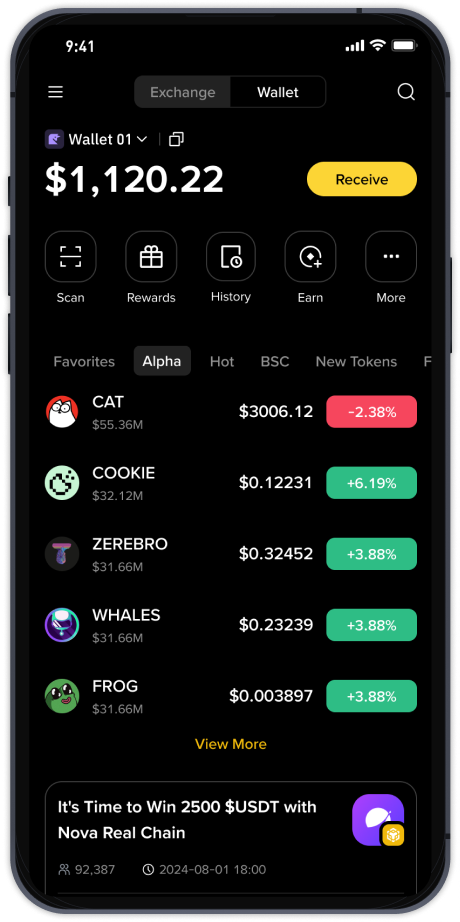
First, you need to log in to your Binance account. Go to the official Binance website or open the mobile app. Once logged in, look for the “Wallet” option in the top-right corner of the screen (on desktop) or in the bottom menu (on the app). Click or tap on “Wallet,” then select “Fiat and Spot” to access your main account balance.
Inside the Fiat and Spot wallet, you will see a list of all your assets, including both cryptocurrencies and fiat currencies (like USD, EUR, or USDT). Find the asset you want to withdraw. For example, if you want to withdraw Bitcoin, locate BTC in the list. Next to the asset, you will see a “Withdraw” button. Click on it to start the withdrawal process.
Binance offers two main types of withdrawals: crypto withdrawal and fiat withdrawal. If you are withdrawing cryptocurrency, you will need to enter the destination wallet address. This address must be from an external wallet (such as a hardware wallet, another exchange, or a personal wallet like Trust Wallet or MetaMask). Double-check the address carefully because crypto transactions are irreversible. Also, select the correct network (such as BEP2, BEP20, ERC20, or TRC20) that matches the receiving wallet’s network to avoid losing funds.
If you are withdrawing fiat currency (such as US dollars or euros), the process is different. You need to have completed Binance’s identity verification (KYC) first. Then, go to the “Fiat” section of the withdrawal page. Choose your fiat currency and your preferred withdrawal method, such as bank transfer (SEPA, SWIFT), credit card, or third-party payment services (like Payeer or AdvCash). Enter the amount you wish to withdraw and your bank account details. Binance will process the request, and the time for fiat withdrawal depends on the method. Bank transfers usually take 1–5 business days.
Before you confirm the withdrawal, Binance will show you a summary of the transaction, including any fees. Fees vary depending on the cryptocurrency, the network you choose, and the withdrawal method. For example, withdrawing Bitcoin via the BTC network might cost a small fee, while using Binance’s native BEP20 network is usually cheaper. Make sure you have enough balance to cover both the withdrawal amount and the fee.
After confirming, Binance may send a security verification code to your registered email or phone number, or prompt you to enter your Google Authenticator code. This two-factor authentication (2FA) step is mandatory for security reasons. Enter the code correctly to finalize the withdrawal.
Once the withdrawal is submitted, you can check its status in the “Transaction History” section under the Wallet menu. For crypto withdrawals, the processing time depends on the network congestion. Bitcoin transactions might take 10–60 minutes, while minor coins may process faster. For fiat withdrawals, the bank will handle the timing.
It is also important to be aware of common mistakes. Many users accidentally send funds to the wrong address or choose the wrong network, which often leads to permanent loss of funds. Always copy the address directly from the receiving wallet, and never type it manually. Also, ensure you are not violating any withdrawal limits. Binance imposes daily and monthly withdrawal limits based on your account verification level. Unverified accounts have strict limits, so completing KYC is recommended for larger withdrawals.
In summary, withdrawing from Binance is a straightforward process if you follow the correct steps: navigate to the wallet, choose your asset, enter the correct address or bank details, confirm fees, and verify with 2FA. Always prioritize security by using strong passwords and enabling all available security features. For further help, Binance provides a detailed FAQ section and 24/7 customer support. By understanding these steps, you can safely manage your funds and access your money whenever you need it.